
From install to a healthier catalog in four steps
Start with a free scan. Review your first products and apply smart fixes one at a time. Once you trust it, let bulk actions and automation carry the rest.
Free preview scan of your top 25 products · No credit card required
Install and scan free
Install Path Catalog Health from the Shopify App Store and scan your top 25 products on the free preview plan. The scan takes 2–3 minutes — no setup, no image prep.
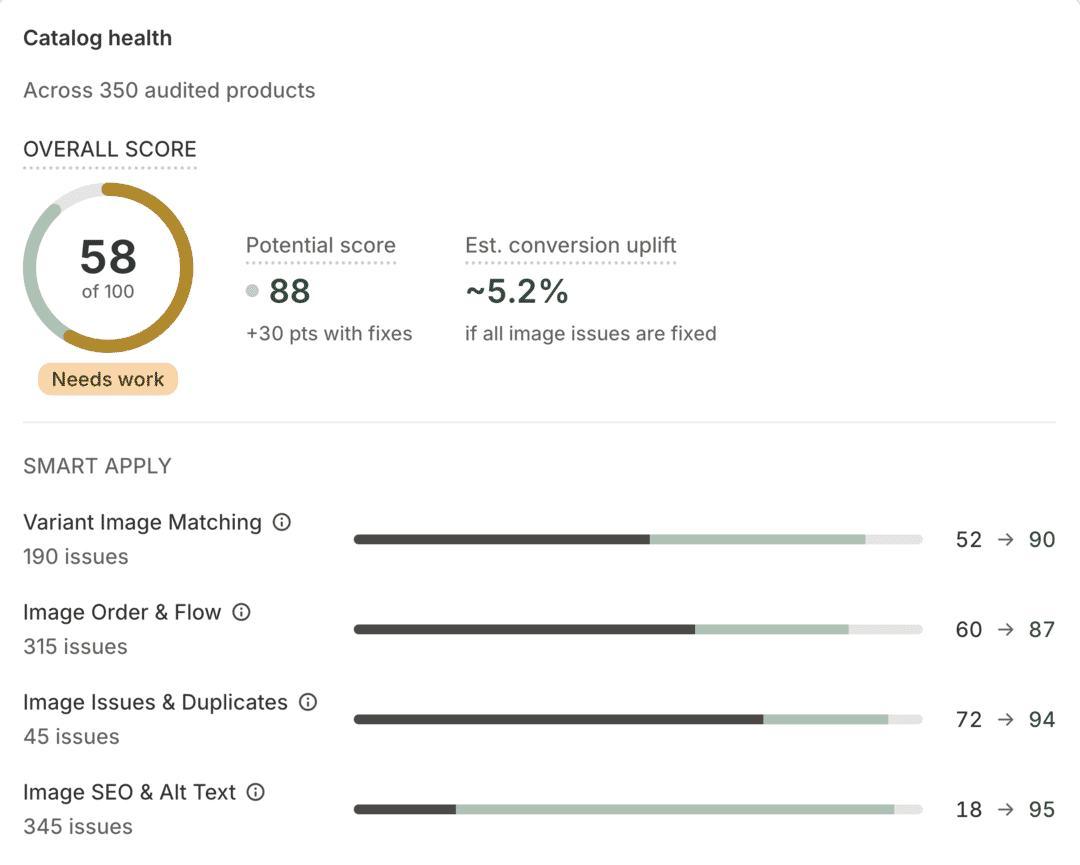
See every product’s health score
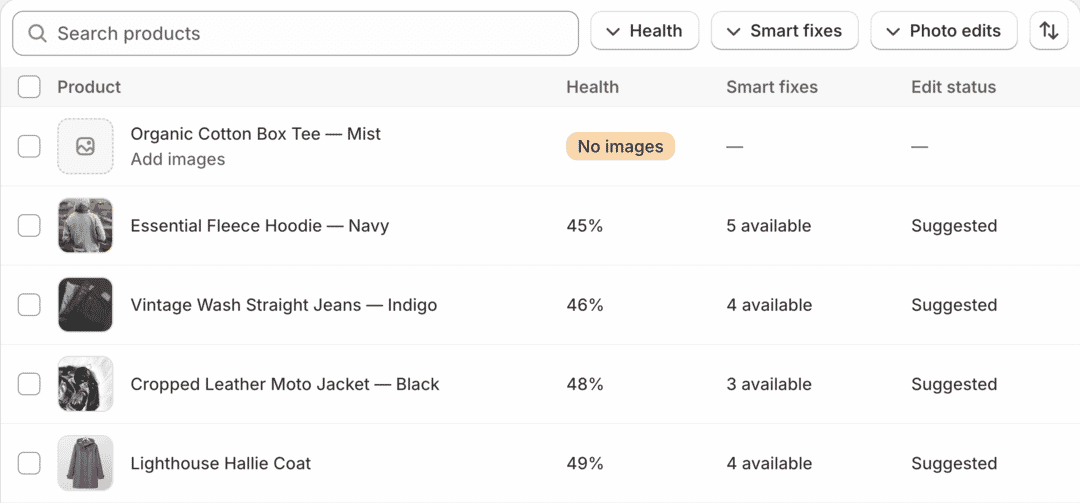
Your dashboard shows a catalog-wide health score and a per-product breakdown across six audit areas, ranked so the products dragging you down sit right at the top.
Apply smart fixes in one click
Wrong variant mapping, messy gallery order, duplicates, missing alt text — review the recommendation and apply it with one click. Once you trust it, select many products and fix them in bulk.
Send the rest to professional editors
For image quality and polish, request pro edits from Path Edits. Retouched images come back within 24 hours — you review, approve, and publish straight to Shopify. No downloads, no uploads, no file naming.

 BeforeAfter
See your catalog’s health score in 3 minutes
Install Path Catalog Health, scan your top 25 products free, and find out exactly which images are costing you sales — and how to fix them.
Free preview scan of your top 25 products. No credit card required.